Creative Digital Clock Display Ideas: 12 Unexpected Ways to Show Time
Most of us see a digital clock and think one thing: telling time. But what if your clock could be more than just a timekeeper? What if it could transform your space, boost your productivity, and even add a touch of personality to your daily routine? A simple digital clock display holds a surprising amount of creative potential.
With the right tool, you can turn a basic time display into a powerful instrument for design, focus, and motivation. The key is customization. At DigitalClock.cc, we built a free, browser-based tool that lets you control everything from fonts and colors to backgrounds and sizes. It's the perfect canvas for bringing innovative clock ideas to life.
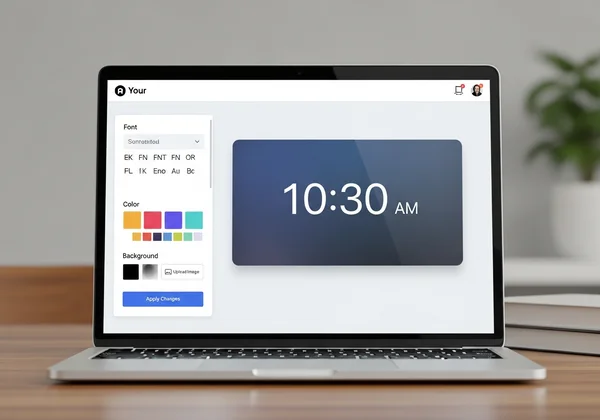
This article explores 12 unexpected ways to use a digital clock. We'll show you how to turn your screen into a minimalist workspace enhancer, a powerful productivity timer, a fitness companion, and much more. Ready to rethink how you see time? Let’s dive in.
Home & Office Transformations: Digital Clocks as Design Elements
Your clock doesn't have to be a boring, default widget. With a little creativity, it can become a central part of your home or office decor, blending function with personal style.
The Minimalist Workspace Clock
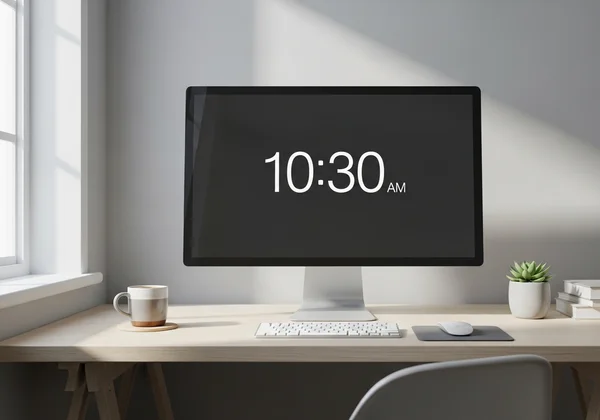
In a world full of distractions, a clean and simple workspace is essential for focus. A minimalist clock can help you stay on track without adding to the visual clutter. The goal is to create a time display that is there when you need it but fades into the background when you don't.
To achieve this, choose a clean, sans-serif font like Roboto Mono. Pair it with a muted color palette—think soft grays, off-whites, or a single, subtle accent color that matches your desk setup. You can even set the background to a solid, neutral color or a high-resolution texture like concrete or wood grain. Many remote workers dedicate a second monitor to this kind of display, creating an elegant, distraction-free timekeeping tool that enhances their focus.
The Statement Piece Clock
On the other end of the spectrum, your digital clock can be a bold statement piece. This is your chance to showcase your personality and create a dynamic focal point in a room. Think of your screen as a digital art frame that also happens to tell the time.
Start by uploading a custom background image—it could be a favorite piece of art, a stunning landscape photo, or a vibrant abstract pattern. Next, select a bold, eye-catching font like Orbitron and choose a color that pops against your background. This approach works wonderfully on an old tablet placed on a bookshelf or a large monitor in a living room. It becomes a conversation starter and a unique piece of functional art that is entirely your own. Ready to design yours? You can start creating right now.
Productivity Power-Ups: Digital Clocks for Focus and Time Management
A digital clock is more than just a passive display; it can be an active partner in managing your time and boosting your efficiency. By customizing it for specific tasks, you can transform your screen into a powerful productivity tool.
The Pomodoro Technique Timer
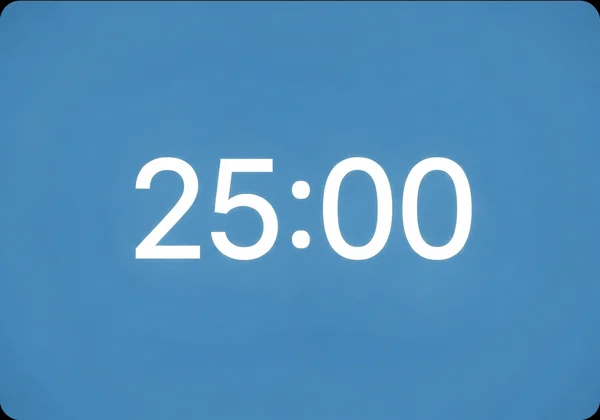
The Pomodoro Technique is a popular time management method that uses a timer to break down work into focused 25-minute intervals, separated by short breaks. A large, visual fullscreen clock is much more effective than any ordinary timer. It keeps your goal front and center. This removes the temptation to check your phone.
With a tool like DigitalClock.cc, you can set a countdown timer for 25 minutes. Customize the display to signal your work and break periods. For example, use a calming blue background during your focus session and switch to a refreshing green background during your five-minute break. This visual cue helps your brain switch modes more easily. Many students have found this method dramatically improves their study habits, making long revision sessions feel more manageable and less daunting.
The Meeting Room Command Center
Running meetings, especially with a remote team, requires careful time management. A dedicated clock display can serve as a command center, keeping everyone aligned and on schedule. This is especially crucial for teams spread across different continents.
You can set up a fullscreen display showing multiple time zones, so everyone knows the local time for their colleagues in New York, London, or Tokyo. Use the large digital clock to display the current time and keep the meeting on track. For specific agenda items, use the countdown feature to timebox discussions. Project this on a large screen in a conference room. Or share it during a virtual call. This ensures everyone respects the schedule. Meetings become more efficient and productive.
Beyond the Basics: Unexpected Digital Clock Applications
Once you start thinking creatively, you'll find that a customizable digital clock can be used in almost any area of your life. Here are a couple of unexpected applications that go far beyond simple timekeeping.
The Fitness Companion
Whether you're doing a high-intensity interval training (HIIT) workout or holding a yoga pose, timing is everything. Fumbling with a small phone timer can break your flow and concentration. A large, fullscreen digital clock can act as the perfect fitness companion, visible from anywhere in the room.
Set up an interval timer for your workout routine. Create a large countdown display for your high-intensity periods. Use a separate display for your rest periods. Use bright, energetic colors like red or orange for workout intervals. Choose cool, calming colors like blue or green for rest periods. This setup is perfect for a home gym, where you can dedicate an old tablet or laptop screen as your permanent fitness timer. Give our online digital timer a try for your next session.
The Event Countdown Clock
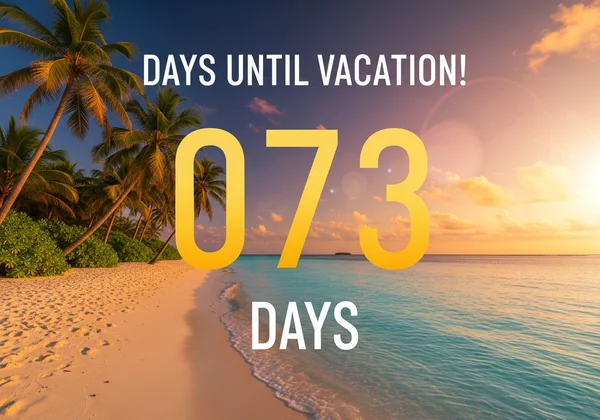
Anticipation is a powerful emotion. Building excitement for an upcoming event, whether it's a vacation, a wedding, or a product launch, can be a fun and engaging experience. A custom countdown clock is a fantastic way to visualize the passing time and build that excitement.
Create a beautiful fullscreen countdown display for your special occasion. Choose a background image that reflects the event—a picture of your vacation destination, a photo of the happy couple, or your company's branding. You can share this clock on a screen in your office, at home, or even embed it on a website. It’s a simple but incredibly effective way to get everyone excited and looking forward to the big day.
Transform Your Relationship with Time Today
As we've seen, a digital clock is not just a utility; it's a versatile canvas for creativity, productivity, and personal expression. From designing a minimalist workspace to building a motivational fitness timer, the possibilities are limited only by your imagination. You don't need to settle for a standard, boring time display on your computer or phone.
The right tools make all the difference when bringing your ideas to life. Our platform offers deep customization, a clean fullscreen interface, and the flexibility to adapt to any need. This is why we created DigitalClock.cc—to empower you to take control of how you see and interact with time.
Ready to bring these digital clock ideas to life? Instead of just telling time, start designing how time looks on your screen. Visit DigitalClock.cc and begin customizing your perfect fullscreen time display for free, right now!
The Takeaway
Can I use DigitalClock.cc on my smart TV or tablet?
Yes, absolutely! DigitalClock.cc is a web-based tool, which means it works on any device with a modern browser. Simply open the browser on your smart TV, tablet, or spare laptop, navigate to the site, and you can set up a beautiful fullscreen clock in seconds. It's a great way to repurpose old devices.
How do I create a clock that works without an internet connection?
While DigitalClock.cc requires an internet connection to load initially and sync the time accurately, once the page is loaded, the clock will continue to run using your device's internal time. For a truly offline experience, you would need a dedicated app. However, our browser-based tool is designed for maximum convenience and accessibility online.
Are there any creative clock templates available to start with?
Currently, DigitalClock.cc focuses on giving you full creative control from a clean slate. While there aren't pre-made templates, the interface is incredibly intuitive. You can easily experiment with different fonts, colors, and backgrounds to find a style you love. Check out some of the ideas in this article and try to build one yourself—you'll be surprised how quickly you can create something amazing.