World Clock Guide: Master UTC, GMT & DST with an Online Digital Clock
Have you ever scheduled an important international meeting, only to have a key colleague miss it due to a time zone mix-up? If you work with a global team or travel frequently, you know the confusion. Juggling terms like UTC, GMT, and the dreaded Daylight Saving Time can feel like a complex math problem. This constant mental calculation is not just tiring; it can lead to missed deadlines and frustrating miscommunications.
This guide is here to clear the fog. We will break down these essential time standards into simple, practical terms. You'll learn the difference between UTC and GMT, understand why Daylight Saving Time causes so much trouble, and discover how to manage it all effortlessly.
Most importantly, you'll see how a powerful tool can eliminate the guesswork entirely. With a reliable online digital clock, you can finally take control of your global schedule with confidence and clarity.

UTC vs. GMT: Demystifying Global Time Standards
To master global time, we first need to understand the two foundational standards: Coordinated Universal Time (UTC) and Greenwich Mean Time (GMT). While often used interchangeably, they have distinct differences that matter in our connected world.
What is Coordinated Universal Time (UTC)?
Think of Coordinated Universal Time (UTC) as the world's official timekeeper. It's not a time zone but a highly precise time standard. Based on atomic clocks—incredibly accurate devices that measure time by the vibrations of atoms—UTC is the universal reference point from which all other time zones are calculated.
When you see a time zone expressed as "UTC-5" (like New York) or "UTC+9" (like Tokyo), it means that zone is five hours behind or nine hours ahead of the baseline UTC time. UTC is stable and scientific. That's why aviation, financial markets, and computer servers use it worldwide. It keeps everyone perfectly synchronized.

Understanding Greenwich Mean Time (GMT)
Greenwich Mean Time (GMT) is the historical predecessor to UTC. It was originally based on the average time the sun crosses the Prime Meridian at the Royal Observatory in Greenwich, London. For over a century, GMT was the world's primary time reference.
Today, GMT is officially a time zone, not a time standard. It is used by the United Kingdom in the winter and several countries in Africa and Western Europe year-round. While for most practical purposes the time shown in the GMT time zone is the same as UTC, the key difference lies in how they are measured.
Key Differences & Their Practical Impact on You
So, what's the bottom line for your daily life?
- Standard vs. Time Zone: UTC is a precise, globally recognized time standard. GMT is a time zone.
- Measurement: UTC is based on atomic clocks. GMT is based on the Earth's rotation.
- Daylight Saving Time: This is the most critical distinction. UTC never changes. It is a constant, unwavering reference. The GMT time zone, however, is affected by Daylight Saving Time. In the summer, the UK switches to British Summer Time (BST), which is GMT+1.
For anyone coordinating international activities, relying on a consistent standard is crucial. Using UTC as your baseline prevents confusion, especially when scheduling across regions that may or may not observe seasonal time shifts. A tool that correctly interprets these standards, like an accurate world clock, is essential for modern professionals.
Daylight Saving Time (DST): Your Guide to Seasonal Shifts
Daylight Saving Time (DST) is perhaps the single biggest source of scheduling headaches. This seasonal time change, where clocks are set forward an hour in the spring and back an hour in the fall, disrupts calendars and confuses teams worldwide.
The History and Purpose Behind DST
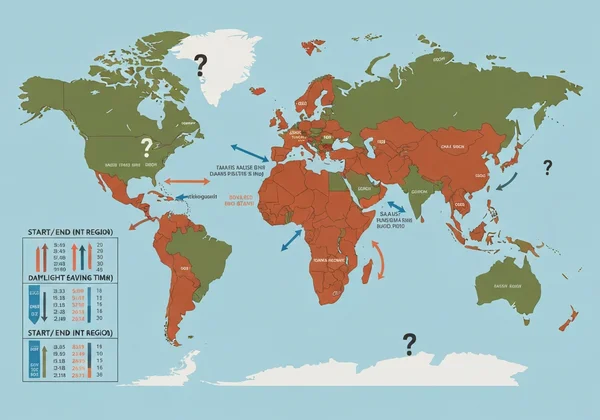
DST shifts clocks forward in spring to make better use of evening daylight. While its energy-saving benefits are now debated, over 70 countries still observe it. The catch? There's no global standard for when it starts or ends. This creates a confusing patchwork of time changes each year.
Navigating DST Changes in International Schedules
Here’s where the real challenge begins for remote teams and travelers. A colleague in New York might "spring forward" in March, while one in London does so on a different date. Meanwhile, a team member in Tokyo experiences no change at all.
Time differences aren't constant. For example, New York's five-hour gap to London in winter might drop to four hours briefly in spring. Then it snaps back. Manually tracking these shifts for multiple cities is a recipe for disaster, often leading to missed meetings and lost productivity.
How Our Online World Clock Handles DST for You
Ditch the complicated DST calendar. A smart online clock handles every global adjustment in real-time.
The time zones displayed for cities like London, New York, or Sydney are always current. You don’t have to remember if they are observing DST or not—the clock handles it for you. This simple automation removes a massive mental burden, allowing you to schedule with absolute certainty that your times are correct, no matter the season. It’s like having a dedicated timekeeper for your global dashboard.
Seamless Multi-Time Zone Management
Understanding the theory of UTC, GMT, and DST is one thing; applying it flawlessly is another. The ultimate solution is a centralized, visual tool that presents all the information you need in a clean, intuitive interface.
Your Online World Clock & Global Time Zone Converter
Our online world clock is more than just a display of your local time. It's a powerful tool that serves as your command center for global time management. By displaying multiple key time zones simultaneously, it acts as an instant global time zone converter.
There's no need to open new tabs or use confusing conversion charts. A quick glance tells you the precise time in your colleagues' locations, making it easy to find that perfect meeting slot that works for everyone. This immediate visual clarity turns a complex task into a simple one.
Setting Up Your Custom Multi-Time Zone Display
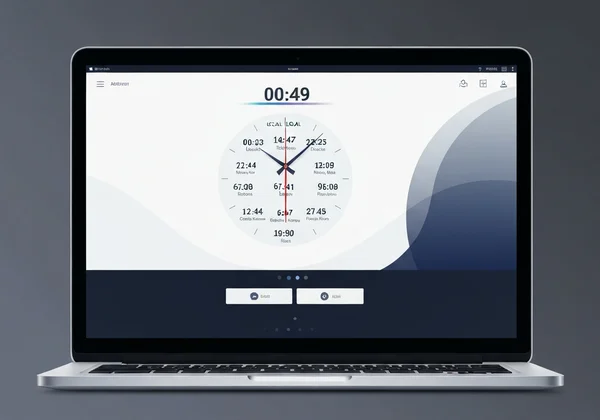
Getting started is incredibly simple. When you visit the site, your local time is instantly displayed in a large, clear format. Just below, you’ll find a curated list of major international cities and their current times.
This at-a-glance view is often all you need for quick checks. The tool is designed for simplicity and immediate use. You can even customize the look and feel, changing fonts, colors, or setting a background image to create a workspace that is both functional and aesthetically pleasing. It’s the perfect addition to a second monitor, providing persistent, non-intrusive time awareness throughout your day.
Real-World Scenarios: Scheduling Meetings Across Continents
Let's put this into practice. Picture nailing that Berlin-SF-Singapore call. Imagine you're a project manager in Berlin (UTC+2 in summer) planning a call with developers in San Francisco (UTC-7) and a client in Singapore (UTC+8).
Instead of opening three separate clocks and doing mental math, you simply open your customized clock. You can instantly see that when it's 4:00 PM your time, it's a workable 7:00 AM in San Francisco and a late 10:00 PM in Singapore. This immediate visual feedback makes finding a mutually convenient time fast and error-free. It transforms scheduling from a chore into a simple, confident action.
Ready to Own Your Global Schedule?
You've got the basics of UTC, GMT, and DST down. Now pair that knowledge with a smart tool to make it effortless.
Stick to UTC as your rock-solid baseline. Let DST shifts happen without the headache – your clock handles it. And grab a reliable world clock to automate the rest. Stop second-guessing and start scheduling with precision. Transform your device into a powerful hub for global time awareness and take definitive control of your calendar.
Ready to simplify your life? Customize your clock now and make time zone confusion a thing of the past.
World Clock FAQ: UTC, GMT & DST Questions Answered
What is the most accurate online clock for global time?
The most accurate online clocks synchronize with Network Time Protocol (NTP) servers. These servers are connected to atomic clocks, providing a highly precise time source. This online clock is designed to provide live, accurate time, ensuring you have a trustworthy reference for all your scheduling needs.
How do I view multiple time zones simultaneously online?
The easiest way is to use a dedicated online world clock. The homepage provides an immediate, at-a-glance view of the current time in major cities across the globe, eliminating the need to check each one individually.
Does an online world clock automatically adjust for Daylight Saving Time?
Yes, absolutely. This is one of its most critical features. The clock automatically tracks and applies all DST changes worldwide, so the times you see for cities like New York, London, or Sydney are always correct and up-to-date. You can see it in action right on the homepage.
Can I use an online world clock as a time zone converter?
Definitely. By displaying multiple time zones on a single screen, it functions as a real-time, visual time zone converter. You can instantly see what time it is in another part of the world relative to your own, making it perfect for finding convenient meeting times or checking in with family abroad.